In-depth review
Walabot DIY 2 Review (2027)
In-depth review of the Walabot DIY 2: RF in-wall imaging depth, app experience, and when seeing beats sensing.

Our verdict
The DIY 2 changes stud finding from inference to observation. Seeing a pipe bend exactly where your drill wanted to go is worth the setup friction and price for renovators, even if everyday picture hanging still belongs to simpler tools.
What we like
- RF imaging visualizes studs, pipes, and wires through drywall
- Detects to about 4 inches deep in drywall
- Pairs with phone for large, clear visuals and snapshots
- Expert mode shows raw signal for tricky walls
What to watch out for
- Requires phone pairing and app setup
- Drywall-focused; concrete and lath reduce performance
- Premium price versus sensor finders
What owners report: Walabot DIY 2 In-Wall Imager
Synthesized from recurring themes in long-term owner feedback.
Most praised
- Actually seeing a pipe on screen, exactly where the drill was headed, converts sceptics instantly
- Snapshots of a wall layout save owners from re-scanning when they return to a project
- An expert view of the raw signal helps on walls where automatic modes hesitate
Common complaints
- Pairing a phone and opening an app makes it slower for a ten-second picture hook
- Beyond drywall, into concrete and heavy lath, its imaging loses reliability
- It costs far more than sensor finders, which occasional users cannot justify
Who it is for
Renovators, bathroom remodelers, and careful drillers working in pipe-and-wire-dense walls.
Imaging, in practice
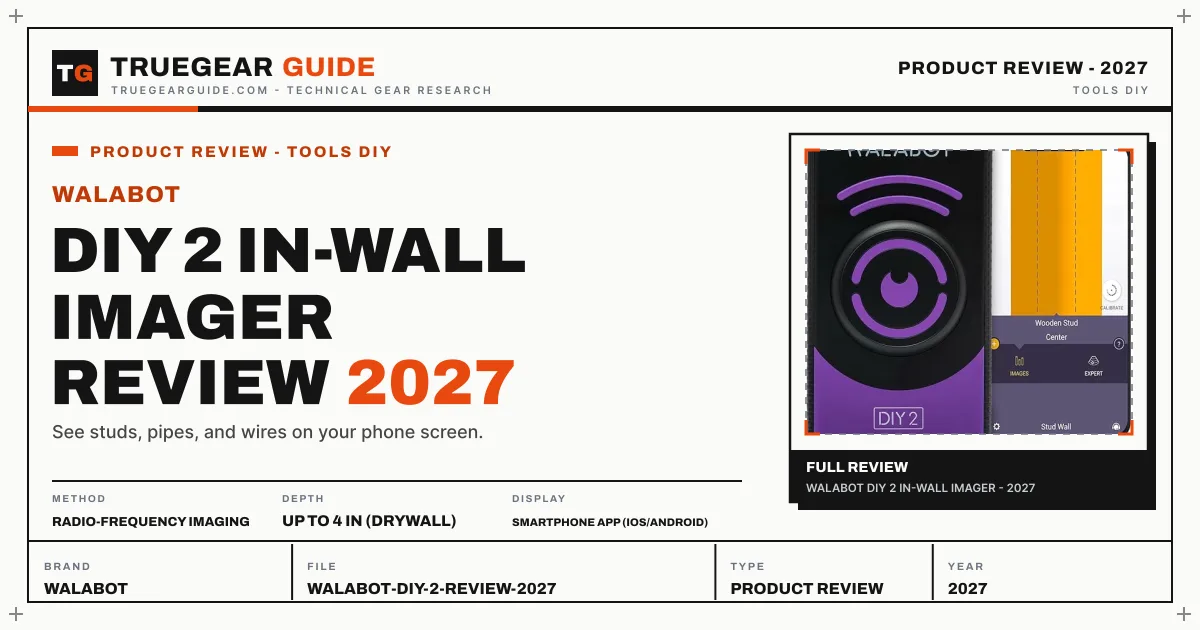
The Walabot scans in images mode for classified objects (studs, pipes, wires) and expert mode for raw signal interpretation. On drywall it resolves framing and plumbing to roughly 4 inches deep with a clarity no beeping sensor approaches.
The phone is the display
Your phone provides a big, bright screen and snapshot saving for documenting wall contents before closing a renovation. The trade is setup: pairing, calibration sweeps, and app updates stand between you and a ten-second hang. The snapshots deserve emphasis, though: a saved image of the pipe run behind a shower wall is documentation you will thank yourself for at the next remodel, and no beeping sensor leaves that kind of record. Treat the Walabot as a renovation camera first and a stud finder second, and its workflow makes sense.
Wall limits
Drywall is home turf. Concrete, thick plaster, and metal lath degrade imaging substantially, and curved sweeps confuse the picture. Slow, flat, overlapping passes are the technique that rewards patience.
Key specifications
- Method
- Radio-frequency imaging
- Depth
- Up to 4 in (drywall)
- Display
- Smartphone app (iOS/Android)
- Detects
- Studs, pipes, wires, pests (movement)
- Power
- Rechargeable, USB-C
Also consider

Bosch GMS120 Digital Wall Scanner
Pro scanner for studs, metal, and live cables.
Why consider it: A self-contained pro scanner with live-cable detection and no phone required.
- Modes: Drywall, Universal, Concrete
- Depth: Studs to 1.5 in; ferrous metal to 4.75 in; live cable to 2 in

Franklin Sensors ProSensor 710
Thirteen sensors show the whole stud at once.
Why consider it: Instant grab-and-go stud width reads for everyday hanging.
- Sensors: 13-sensor array
- Depth: Up to 1.5 in
Research-based assessment. TrueGear has not hands-on tested this product; this evaluation synthesizes manufacturer specifications, retailer documentation, and published expert reviews.
Questions, answered
Does Walabot work without internet?
Scanning works locally with the app after setup; the phone connection is to the device, not the cloud.
Can it tell wood from plastic pipe?
Images mode classifies common objects by signal character with good but not perfect reliability. Expert mode helps experienced users distinguish materials.
Is it safe around pacemakers or electronics?
Walabot uses low-power RF similar to consumer radar devices and publishes compliance guidance; follow the manual for medical-device cautions.
How should I scan for the clearest picture?
Move slowly in overlapping horizontal passes, keep the unit flat and in full contact with the wall, and cover a wider area than the spot you plan to drill. Wide context helps the software classify what it sees; a narrow, hurried sweep produces the vague images that frustrate first-time users.