In-depth review
Yale Assure Lock 2 Review (2027)
In-depth review of the Yale Assure Lock 2: modular WiFi, Z-Wave, and Zigbee radios, DoorSense auto-lock, and 250 access codes.
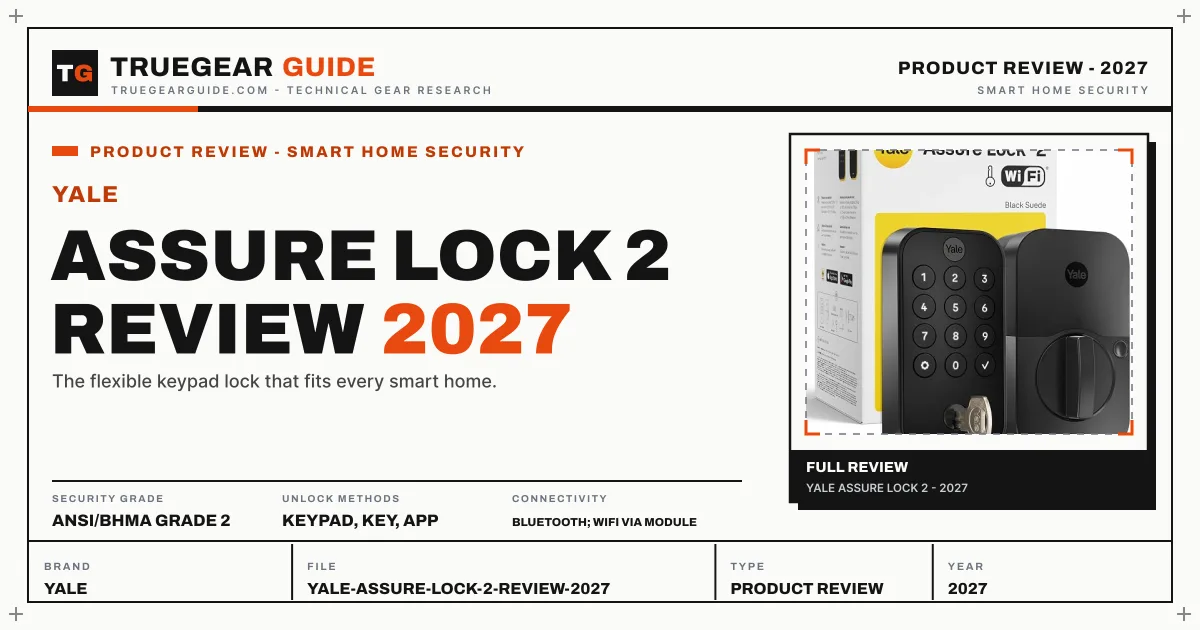

Our verdict
The Assure Lock 2 is the most adaptable smart lock you can buy. The swappable radio module means it fits WiFi homes, Z-Wave hubs, and Zigbee systems equally, and DoorSense auto-lock only fires when the door is genuinely closed. Grade 2 security and the separate WiFi module purchase keep it from the top spot, but for hub-based smart homes nothing is more flexible.
What we like
- Modular radio design: WiFi, Z-Wave, or Zigbee modules for any hub
- Auto-lock with DoorSense confirms the door is actually closed
- Slim, modern keypad design that suits contemporary doors
- Yale Access app with temporary guest codes and entry history
What to watch out for
- WiFi module is a separate purchase on base models
- No biometric unlock option
- ANSI Grade 2, a step below Grade 1 deadbolts
What owners report: Yale Assure Lock 2
Synthesized from recurring themes in long-term owner feedback.
Most praised
- Swapping the radio module instead of the whole lock when changing smart home platforms is unique
- Auto lock that waits until the door is actually closed avoids the classic locked while open mistake
- A large code capacity with schedules works well for rentals, cleaners, and extended family
Common complaints
- The Wi-Fi module being a separate purchase makes the true remote ready price higher than the box price
- There is no biometric or tap to unlock option for fans of faster entry
- Its security grade is a step below the strongest deadbolts for a front door
Who it is for
SmartThings, Hubitat, and Home Assistant users, landlords managing multiple codes, and anyone who wants auto-lock done right.
Modular radios
Every other lock makes the connectivity decision for you. Yale sells the Assure Lock 2 with Bluetooth and lets you add a WiFi, Z-Wave, or Zigbee module, so the lock joins the network you actually run. Z-Wave and Zigbee versions sip battery compared to WiFi and respond faster in hub automations. If you later switch platforms, swap the module, not the lock.
DoorSense auto-lock
Timer-only auto-lock has a classic failure mode: it locks the door while it stands open, or while you carry trash to the curb. DoorSense is a small sensor that reports open versus closed, and the Assure Lock 2 can auto-lock only on a confirmed close, with a configurable delay. Up to 250 unique codes with schedules make it the best lock here for rentals, cleaners, and dog walkers.
Trade-offs
ANSI Grade 2 is a genuine step below the Schlage Grade 1 in forced-entry resistance, though still far beyond a bargain deadbolt. The WiFi module costs extra on top of the base lock, so price the bundle, not the base. And there is no fingerprint or HomeKey option, so biometric and Apple-tap buyers should look elsewhere.
Key specifications
- Security grade
- ANSI/BHMA Grade 2
- Unlock methods
- Keypad, key, app
- Connectivity
- Bluetooth; WiFi via module
- Access codes
- Up to 250
- Auto-lock
- Yes, with DoorSense
Also consider

Schlage Encode Plus
Apple HomeKey plus WiFi, in a Grade 1 deadbolt.
Why consider it: Grade 1 security and HomeKey for Apple households that do not need hub radios.
- Security grade: ANSI/BHMA Grade 1
- Unlock methods: Apple HomeKey, keypad, key, app

August Wi-Fi Smart Lock (4th Gen)
Keep your key and deadbolt; add brains inside.
Why consider it: Retrofit install for renters who cannot replace the deadbolt at all.
- Design: Retrofit, interior mount
- Unlock methods: App, auto-unlock, key (existing)
Research-based assessment. TrueGear has not hands-on tested this product; this evaluation synthesizes manufacturer specifications, retailer documentation, and published expert reviews.
Questions, answered
Which module should I buy?
WiFi if you have no hub and want app control anywhere. Z-Wave for SmartThings, Hubitat, or Ring Alarm. Zigbee for Echo devices with a Zigbee hub or Home Assistant with a Zigbee coordinator.
Does DoorSense require extra hardware?
DoorSense is a small wireless sensor included with the lock that mounts on the door frame. It pairs during setup and reports open/closed state to enable conditional auto-lock.
Can it work without any module?
Yes. Bluetooth alone gives keypad codes, app control in range, and auto-lock. The module only adds remote access and hub integration.